Display and sleep
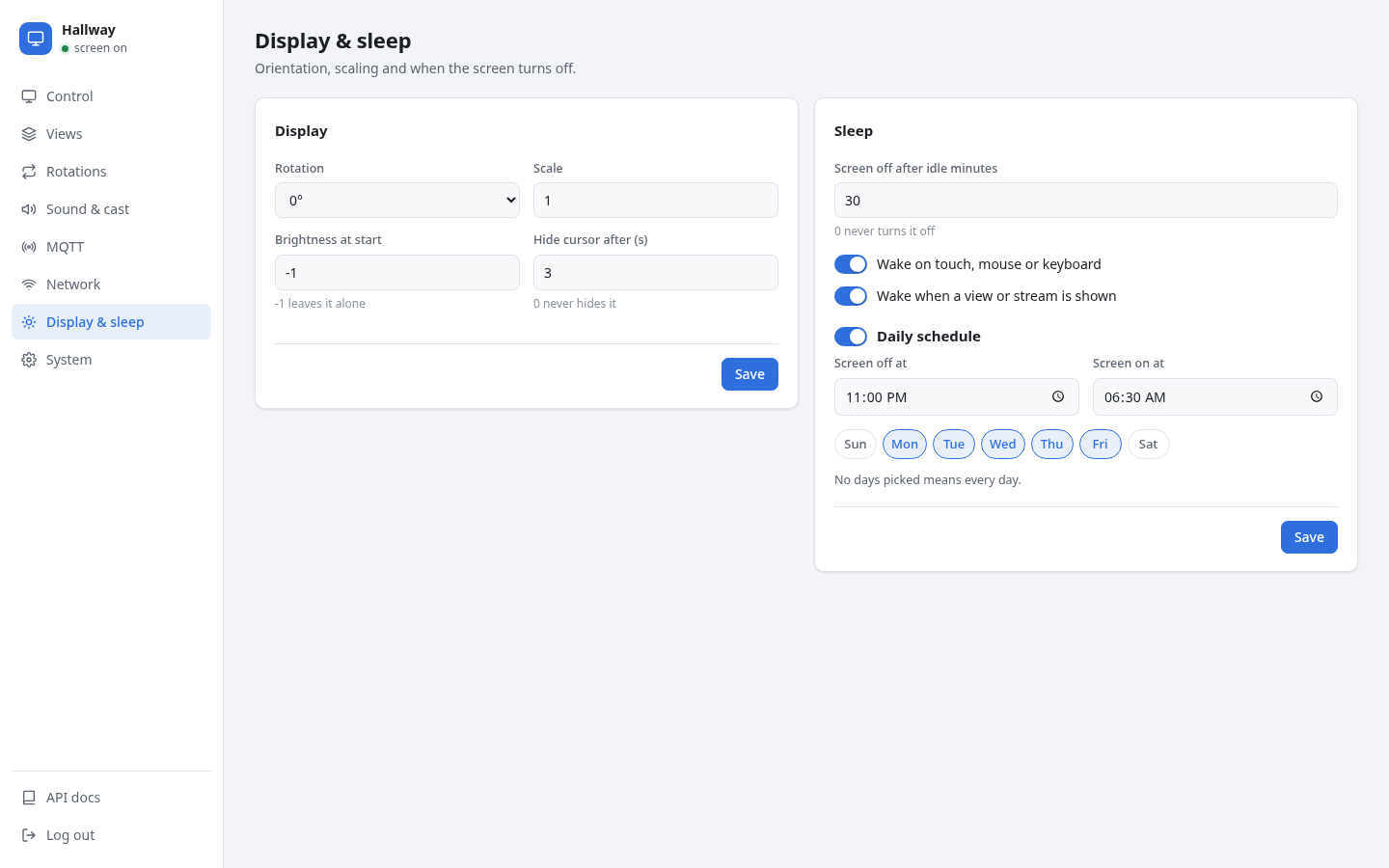
Display
| Setting | |
|---|---|
| Rotation | 0°, 90°, 180° or 270°, for portrait mounting. |
| Scale | Output scale, for example 1.5 on a 4K screen. |
| Brightness at start | Set over DDC/CI at boot. -1 leaves the monitor alone. |
| Hide cursor after seconds | 0 never hides it. |
Brightness uses DDC/CI over the HDMI cable. Most desktop monitors support it; some need DDC/CI switched on in their own menu. TVs usually don't. The Control tab's slider shows not set until a brightness has been sent.
Sleep
| Setting | |
|---|---|
| Screen off after idle minutes | Turns the screen off after this long without touch, mouse, keyboard or commands. 0 disables it. |
| Wake on touch, mouse or keyboard | Input turns the screen back on. |
| Wake when a view or stream is shown | Commands, and AirPlay connections, turn the screen on. |
| Daily schedule | Turns the screen off and on at fixed times, on the ticked weekdays, or every day if none are ticked. |
The schedule acts at its two times only. Turning the screen on by hand or by command during the night keeps it on until the next scheduled change, or until the idle timeout turns it off.
"Screen off" puts the monitor into power saving through the compositor. Pages keep running, so a dashboard is up to date the moment the screen wakes.