Single sign-on
The web UI can sign users in through an OpenID Connect provider. The admin password keeps working alongside it, so a broken provider never locks you out. The REST API keeps using the API token.
sequenceDiagram
    participant U as Browser
    participant K as Kiosk
    participant P as Provider
    U->>K: GET /api/oidc/login
    K->>U: redirect to provider (state, nonce, PKCE challenge)
    U->>P: sign in
    P->>U: redirect to /api/oidc/callback?code=…
    U->>K: GET /api/oidc/callback
    K->>P: exchange code + PKCE verifier
    P->>K: ID token
    K->>K: check signature, nonce, allowed groups
    K->>U: session cookie, back to the UI
Provider setup
Create an OAuth2/OpenID application for the kiosk:
| Setting | Value |
|---|---|
| Client type | Public (the kiosk uses PKCE and holds no secret). Confidential also works; enter its secret in the kiosk. |
| Grant | Authorization code |
| Redirect URI | http://<kiosk address>/api/oidc/callback, for every address you open the UI at (hostname and IP). The kiosk shows the one for the current address under System → Single sign-on. |
| Scopes | openid, profile, email |
- Applications → Providers → Create → OAuth2/OpenID Provider. Client type Public, redirect URIs as above, signing key set.
- Applications → Create, slug
pikiosk, with that provider. - Bind the users or groups that may sign in to the application.
- The issuer is
https://<authentik>/application/o/pikiosk/.
Authentik's profile scope includes the groups claim, so Allowed groups works without extra mappings.
- Clients → Create client, OpenID Connect, client authentication off (public), standard flow on.
- Valid redirect URIs as above.
- The issuer is
https://<keycloak>/realms/<realm>.
Add a Group Membership mapper with claim name groups to use Allowed groups.
Kiosk setup
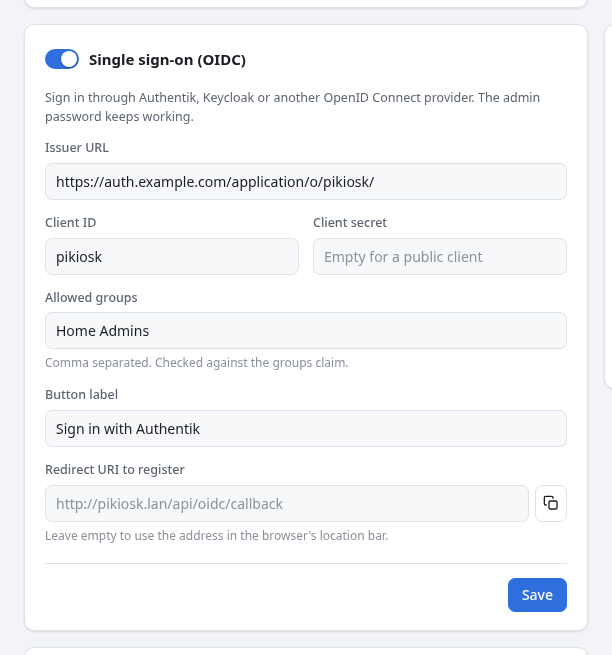
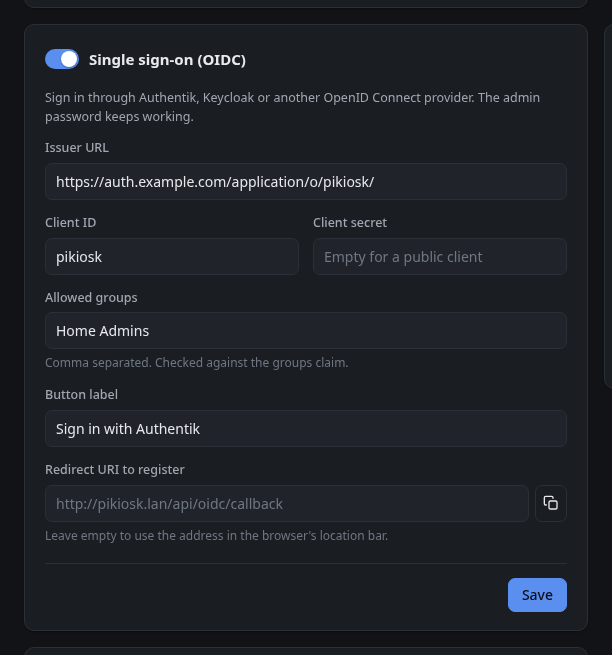
Under System → Single sign-on (OIDC):
| Field | |
|---|---|
| Issuer URL | The provider's issuer. The kiosk reads <issuer>/.well-known/openid-configuration and refuses to save if it cannot. |
| Client ID | From the provider. |
| Client secret | Empty for a public client. |
| Allowed groups | Optional, comma separated. The user must be in one of them. Without it, anyone the provider lets through can sign in, so restrict access in the provider. |
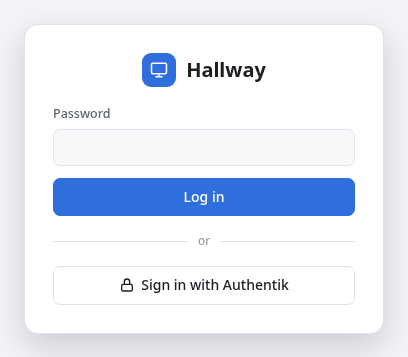
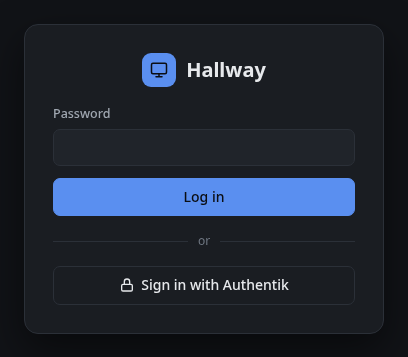
| Button label | Text on the login page, for example Sign in with Authentik. |
| Redirect URI | Leave empty to use the address in the browser. Set it if the kiosk sits behind a reverse proxy that changes the host. |
Switch it on and save. The login page then shows the sign-in button under the password form, and the sidebar shows who is signed in.
Troubleshooting
| Message on the login page | Cause |
|---|---|
| cannot reach the sign-in provider | The kiosk cannot fetch the issuer's discovery document. Check DNS and that the kiosk can reach the provider over HTTPS. |
| redirect_uri mismatch or a provider error page | The redirect URI registered at the provider does not match the address you opened the kiosk at. |
| sign-in expired, try again | The sign-in took over 10 minutes, the kiosk restarted in between, or the browser blocked the kiosk's cookie. |
| … is not in an allowed group | The user is not in Allowed groups, or the provider does not send a groups claim. |
Sessions last 7 days and are kept in memory: restarting kioskd signs everyone out.