MQTT Import
Create energy-flow nodes from readings other integrations already publish to the broker.
In the GUI
Integrations › MQTT Import.
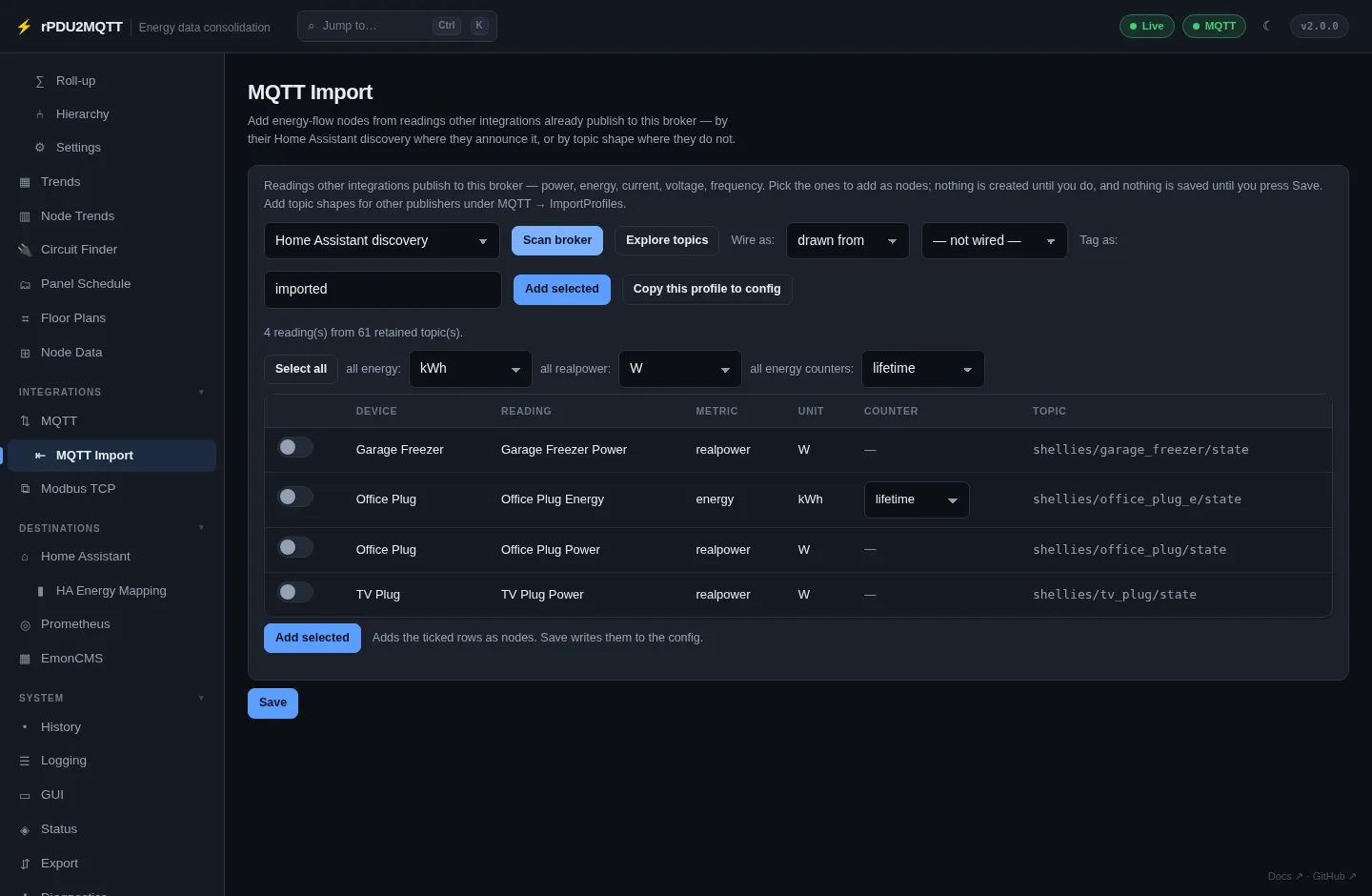
- Pick a source: Home Assistant discovery, ESPHome topics, ESPHome (multi-channel) topics, Z-Wave JS topics, or a custom profile.
- Scan broker.
- Tick readings. Set the unit per metric and lifetime or period for energy counters.
- Wire as:
drawn froma feeder, or not wired. - Tag as: tag for every imported node (default
imported). - Add selected, then Save.
- One node per device, one binding per metric.
- Appliances are imported as loads.
- Copy this profile to config copies a built-in profile into
Mqtt.ImportProfilesfor editing.
Custom profiles
For publishers with no discovery. Add under Integrations › MQTT › Import Profiles.
| Field | |
|---|---|
Name |
Name in the source list |
Filter |
Subscription, for example tele/# |
Pattern |
Topic shape with {device} and {measure}, + for any segment |
JsonField |
Field holding the value, dotted for nesting. Blank = bare number |
Metrics |
Map of captured {measure} to metric. Unlisted measures are ignored |
Tags |
Tags added to every node from this profile |
Mqtt:
  ImportProfiles:
    - Name: Plugs
      Filter: tele/#
      Pattern: tele/{device}/SENSOR/{measure}
      Metrics:
        Power: realpower
      Tags: [plugs]