MQTT
The broker rPDU2MQTT publishes to and subscribes to.
In the GUI
Integrations › MQTT. Changes apply on Save.
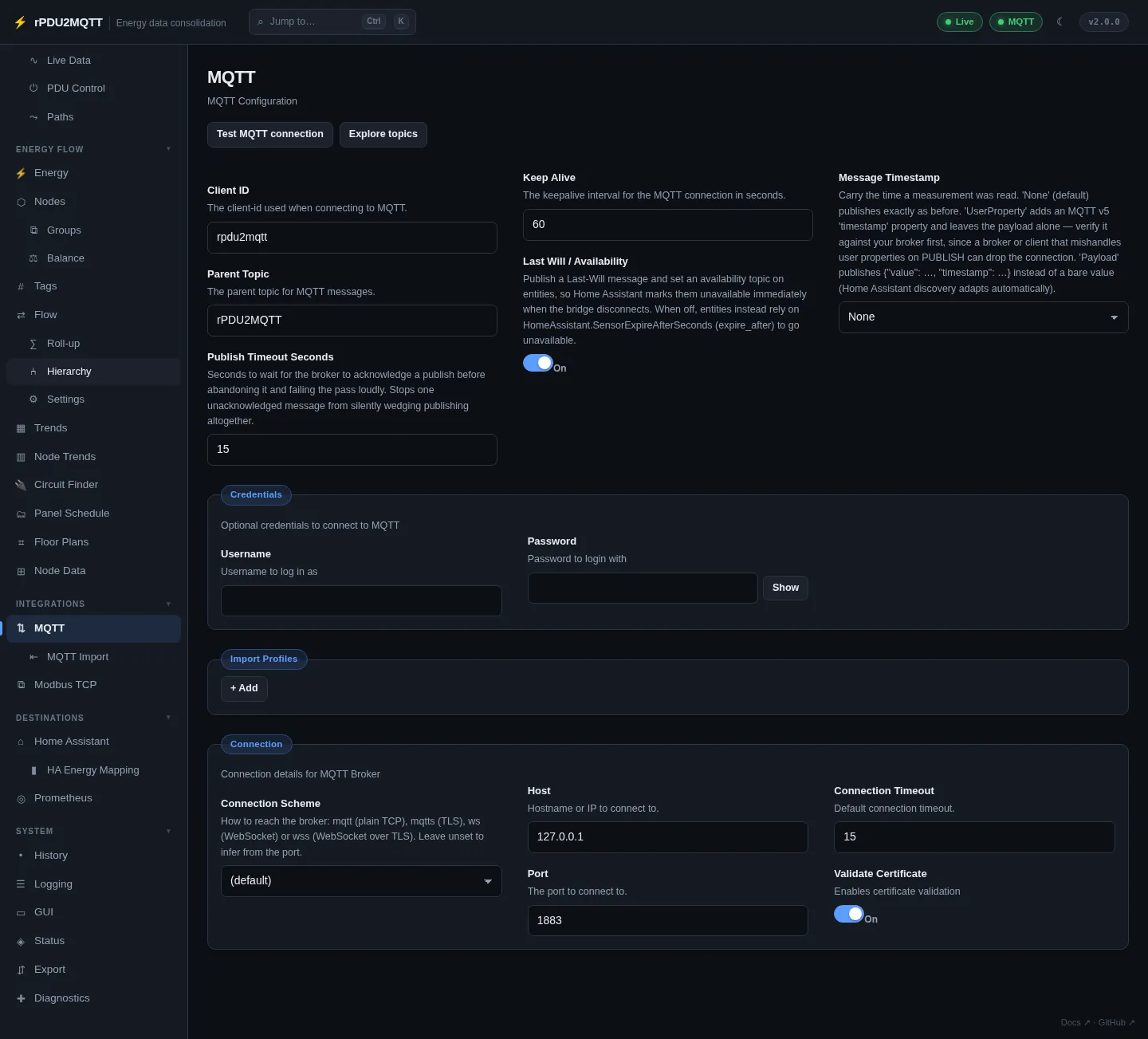
| Field | Setting | Default |
|---|---|---|
| Client ID | Mqtt.ClientID |
|
| Parent Topic | Mqtt.ParentTopic |
rPDU2MQTT |
| Publish Timeout Seconds | Mqtt.PublishTimeoutSeconds |
15 |
| Keep Alive | Mqtt.KeepAlive |
|
| Last Will / Availability | Mqtt.LastWill |
on |
| Message Timestamp | Mqtt.MessageTimestamp: None, UserProperty, Payload |
None |
| Credentials › Username / Password | Mqtt.Credentials.Username / Password |
|
| Connection › Connection Scheme | Mqtt.Connection.Scheme |
from port |
| Connection › Host | Mqtt.Connection.Host |
|
| Connection › Port | Mqtt.Connection.Port |
from scheme |
| Connection › Connection Timeout | Mqtt.Connection.Timeout |
15 |
| Connection › Validate Certificate | Mqtt.Connection.ValidateCertificate |
on |
| Import Profiles | Mqtt.ImportProfiles |
See MQTT Import |
- Test MQTT connection connects with the unsaved values.
- Explore topics opens the topic explorer.
Explorer
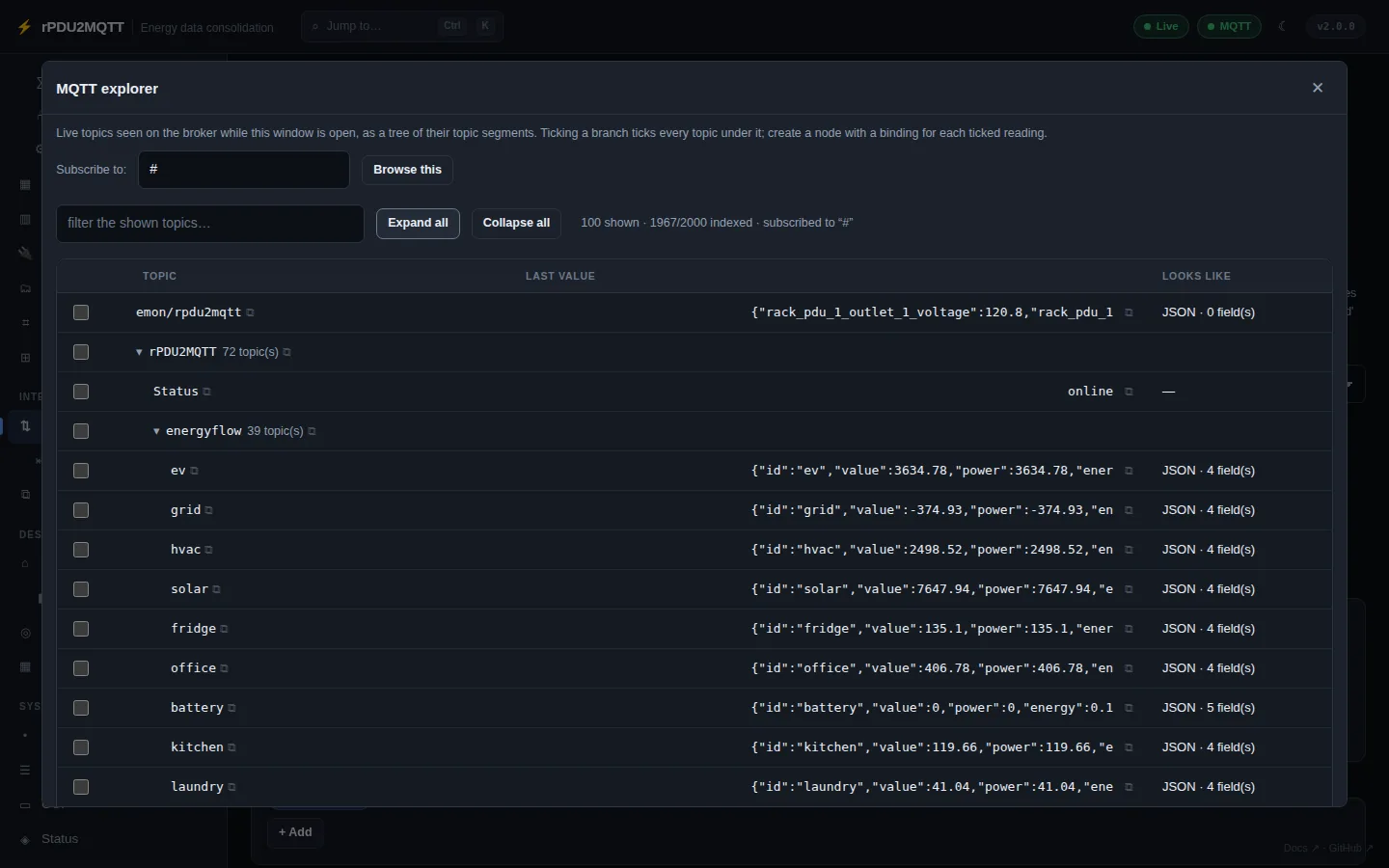
Live topics as a tree, with last value and detected fields. Tick readings to create nodes with bindings. Copy a topic, value or JSON field path.
Schemes
| Scheme | Transport | Default port |
|---|---|---|
mqtt |
TCP | 1883 |
mqtts |
TLS | 8883 |
ws |
WebSocket | 8000 |
wss |
WebSocket over TLS | 8884 |
With no scheme, it is taken from the port. With no port, the scheme's default is used.
Last Will
On: entities go unavailable when the bridge disconnects. <parent>/Status carries online / offline.
Off: sensors go unavailable after HomeAssistant.SensorExpireAfterSeconds. Switches do not expire.
Message Timestamp
| Mode | Payload |
|---|---|
None |
Bare value |
UserProperty |
Bare value, MQTT v5 timestamp user property. Test against your broker first. |
Payload |
{"value": "123.4", "timestamp": "2026-07-21T18:30:15.250Z"}. HA discovery adds a value_template. |
Energy-flow tier payloads always include timestamp.
In YAML
Mqtt:
  Connection:
    Scheme: mqtts
    Host: broker.example.com
    Port: 8883
    Timeout: 15
    ValidateCertificate: true
  Credentials:
    Username: rpdu2mqtt
    Password: secret
  ClientID: rpdu2mqtt
  ParentTopic: rPDU2MQTT
  KeepAlive: 60
  LastWill: true
  MessageTimestamp: None
Credentials can come from RPDU2MQTT_MQTT_USERNAME / RPDU2MQTT_MQTT_PASSWORD. See Environment variables.
Topics: MQTT topics. All settings: Mqtt reference.