Logging
GUI: System › Logging. Three sinks, each with its own severity.
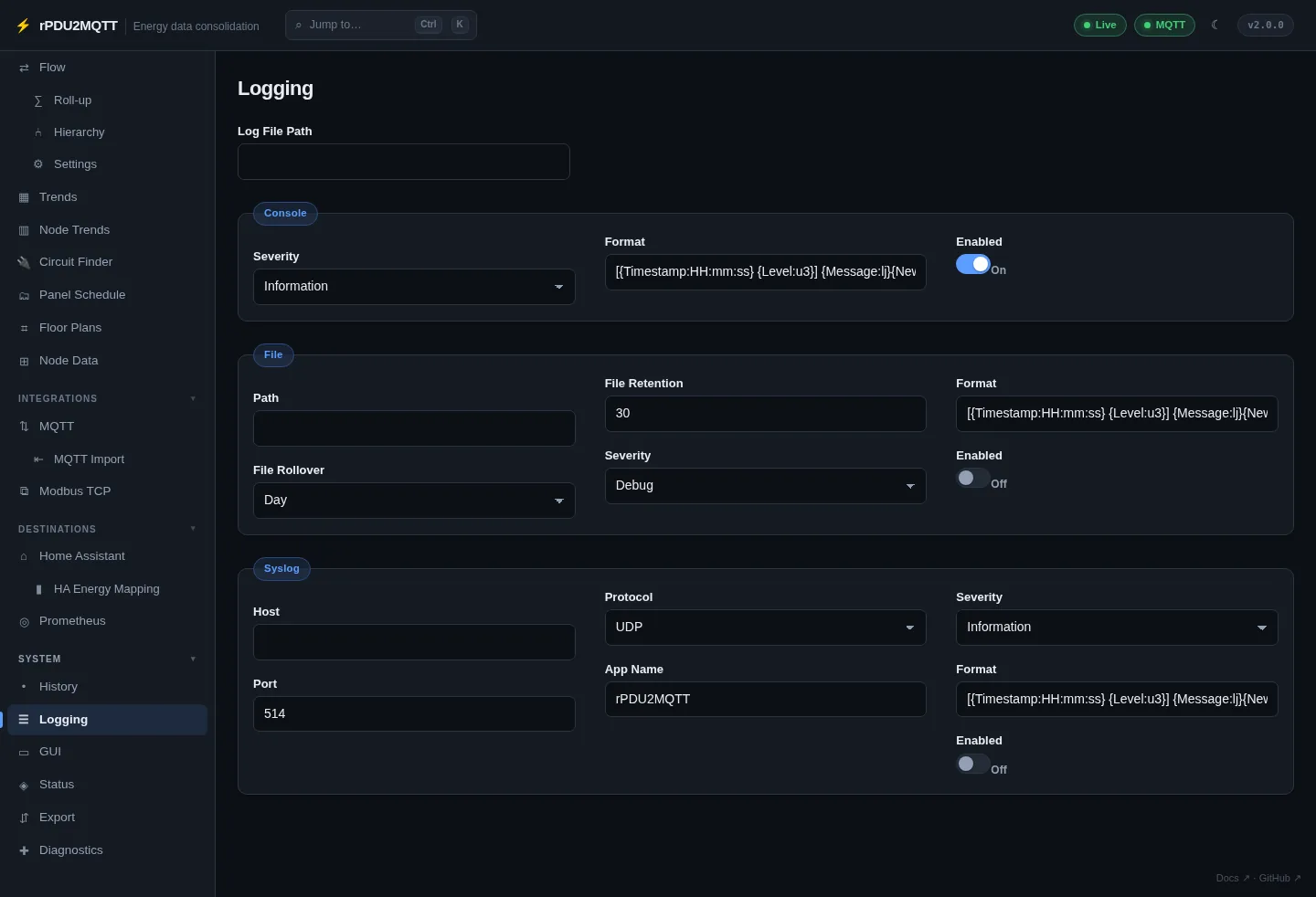
Console
| Field | Setting | Default |
|---|---|---|
| Enabled | Logging.Console.Enabled |
on |
| Severity | Logging.Console.Severity |
Information |
| Format | Logging.Console.Format |
File
| Field | Setting | Default |
|---|---|---|
| Enabled | Logging.File.Enabled |
off |
| Path | Logging.File.Path |
|
| Severity | Logging.File.Severity |
Debug |
| File Rollover | Logging.File.FileRollover |
Day (Infinite, Year, Month, Day, Hour, Minute) |
| File Retention | Logging.File.FileRetention |
30 rolled files |
| Format | Logging.File.Format |
Syslog
RFC 3164 / RFC 5424 over UDP or TCP.
| Field | Setting | Default |
|---|---|---|
| Enabled | Logging.Syslog.Enabled |
off |
| Host | Logging.Syslog.Host |
required when enabled |
| Port | Logging.Syslog.Port |
514 |
| Protocol | Logging.Syslog.Protocol |
UDP |
| App Name | Logging.Syslog.AppName |
rPDU2MQTT |
| Severity | Logging.Syslog.Severity |
Information |
| Format | Logging.Syslog.Format |
Severity levels
Verbose, Debug, Information, Warning, Error, Fatal.
| Level | Logs |
|---|---|
Information |
Startup decisions (roles, config source, sources, destinations), PDU shape changes, every write (outlet actions, config changes, group actions) |
Debug |
Each poll with latency and counts, energy-flow provisioning, ingest batches, feed provisioning, subscription changes, repeated failures |
Verbose |
Every node value change and every ingested reading. Use a file sink. |
Debug options
On the Diagnostics page:
| Field | Setting | Default |
|---|---|---|
| Publish to MQTT | Debug.PublishMessages |
on. Off = dry run, nothing sent |
| Print Discovery Payloads | Debug.PrintDiscovery |
off. Logs Home Assistant discovery JSON |
YAML
Logging:
  Console:
    Enabled: true
    Severity: Information
  File:
    Enabled: true
    Severity: Verbose
    Path: /config/rpdu2mqtt.log
    FileRollover: Day
    FileRetention: 30
  Syslog:
    Enabled: false
    Host: 10.0.0.10
    Port: 514
    Protocol: UDP